
How AI tools are transforming the daily life of mechanical engineers in 2026
How AI tools are transforming the daily life of mechanical engineers in 2026
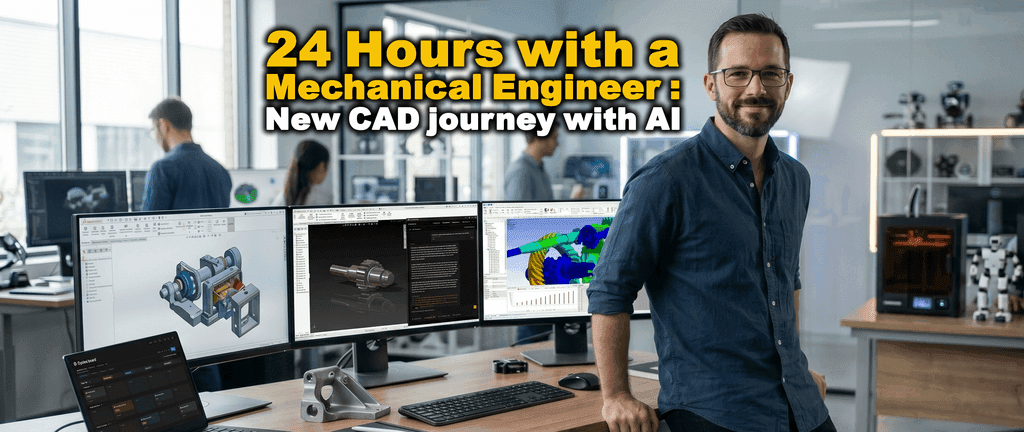
Sylvain is a 34-year-old mechanical engineer working in a mid-sized company specialized in industrial equipment. Ten years of experience with SolidWorks, a team of two junior engineers, and a client who accepts no delays. The kind of client who calls. The kind of client for whom a tolerancing mistake on a gearbox doesn’t just mean a CAD redesign. It means a stopped production line, a missed delivery, and a very uncomfortable conversation.
Sylvain knows this pressure well. He has lived it. And for years, he handled it the hard way: working longer hours, double-checking CAD models and everything, or spending entire afternoons on documentation that felt like a tax on real engineering work.
In 2026, that has changed. Not overnight. Task by task, thanks to AI and CAD automation.
Here is what a typical day looks like now.
Before even opening CAD software
Sylvain starts his morning like most engineers: reviewing what happened overnight. Except now, instead of going through an email chain and mentally reconstructing what is blocked and why, Notion AI has already done it for him. A clear AI-generated summary is waiting: key decisions, open questions, flagged items.
His project manager uses Linear in parallel, and its prioritization AI has already identified the three tickets most likely to slow down production this week.
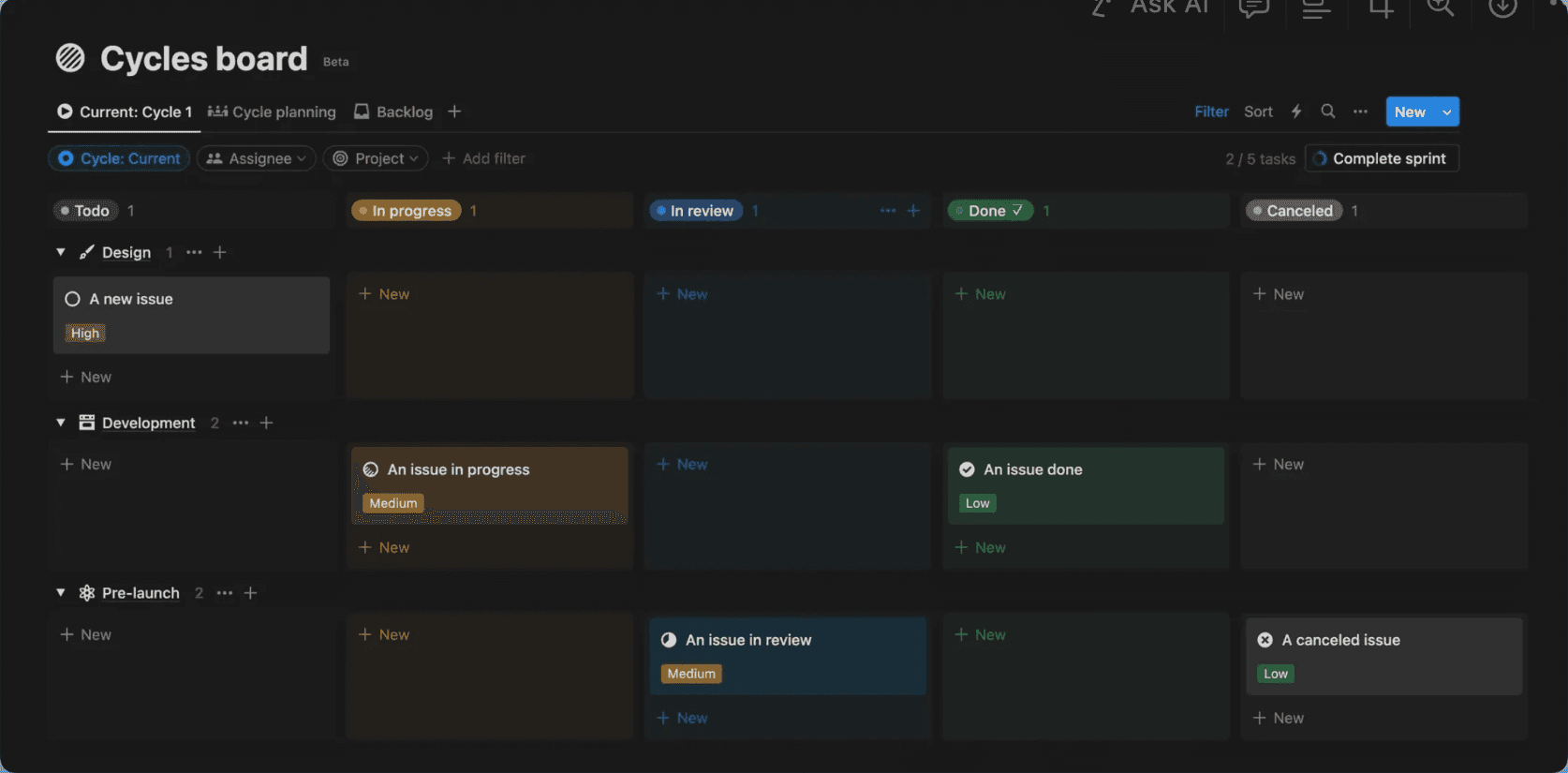
By the time of the daily stand-up, Sylvain already knows what matters. The meeting is more efficient. Decisions come faster. And his juniors, who used to spend the first hour figuring out what CAD tasks to work on, now arrive with clear, AI-prioritized tasks. Less micromanagement. More momentum.
A tolerance issue that used to take 20 minutes and sometimes caused real damage
Three issues are reported on the gearbox assembly. All related to tolerances. This is exactly the kind of CAD engineering problem that could quietly go wrong: a spec recalled from memory, a half-forgotten standard, a fit that looks fine on paper but fails in production.
One bad decision here, and the entire production run is delayed.
Sylvain types his question directly into MecAgent’s mechanical engineering AI expert, without switching tools or breaking his workflow:
“What is the recommended fit tolerance for a gear shaft in a gearbox housing for moderate load and easy assembly?”
The answer comes in seconds, referencing ISO 286: H7/f6. Clear, sourced, unambiguous.
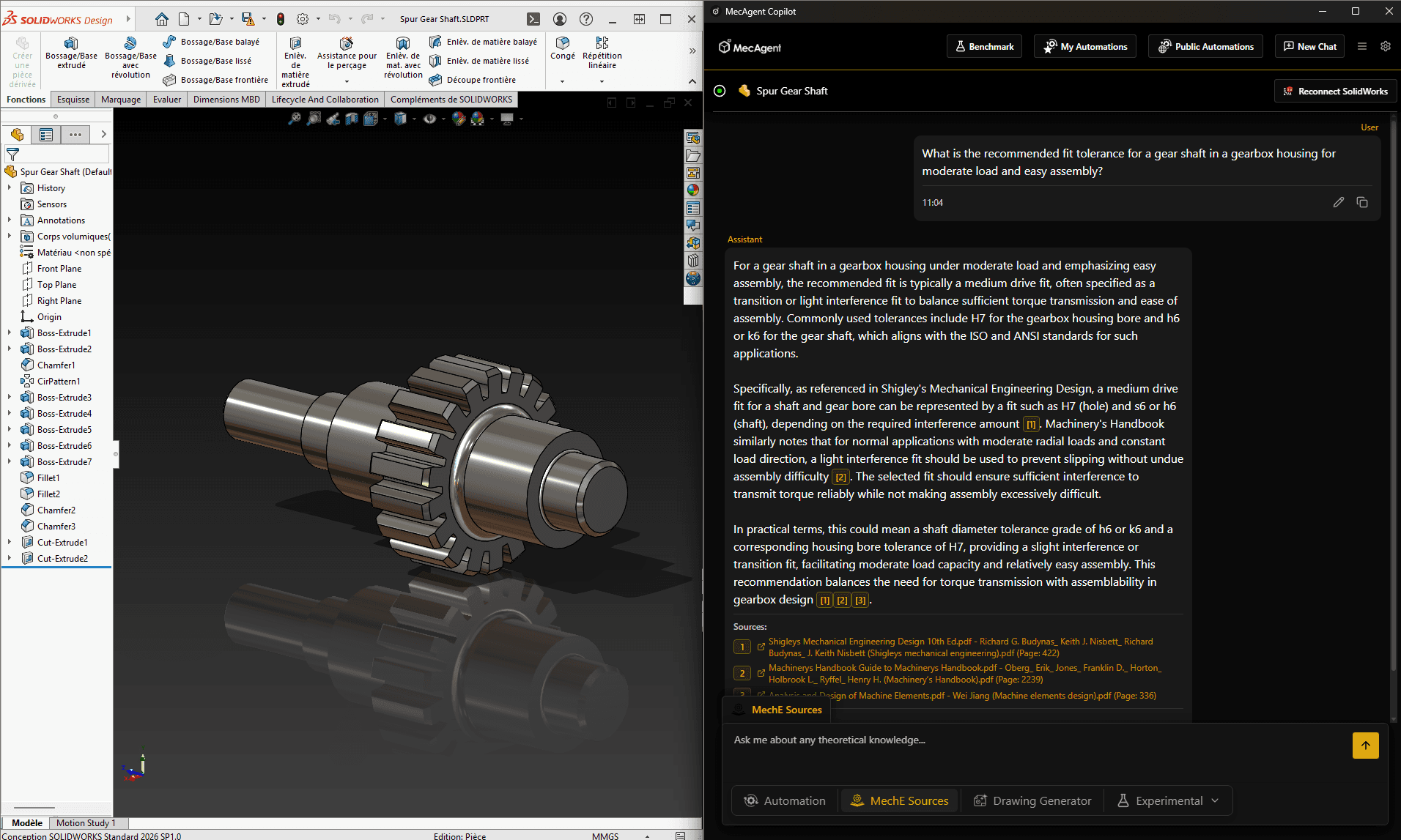
He resolves all three issues before 9 a.m.
Previously, this was a 20-minute detour, three times a day. More importantly, it was a potential source of errors, especially for his juniors, who now use MecAgent autonomously for this type of question. They no longer guess. They no longer interrupt Sylvain. And answers are based on reliable engineering sources, not a 2014 Stack Exchange thread.
Fewer upstream errors. Fewer downstream surprises.
Building the assembly: when invisible overhead disappears
A new support needs to be integrated into the assembly. Sylvain models it, while MecAgent’s CAD copilot handles what he calls “the invisible tax” of CAD work: assigning materials, renaming features according to project conventions, updating properties.
Natural language commands. He describes, the system executes. He stays in design, not administration.
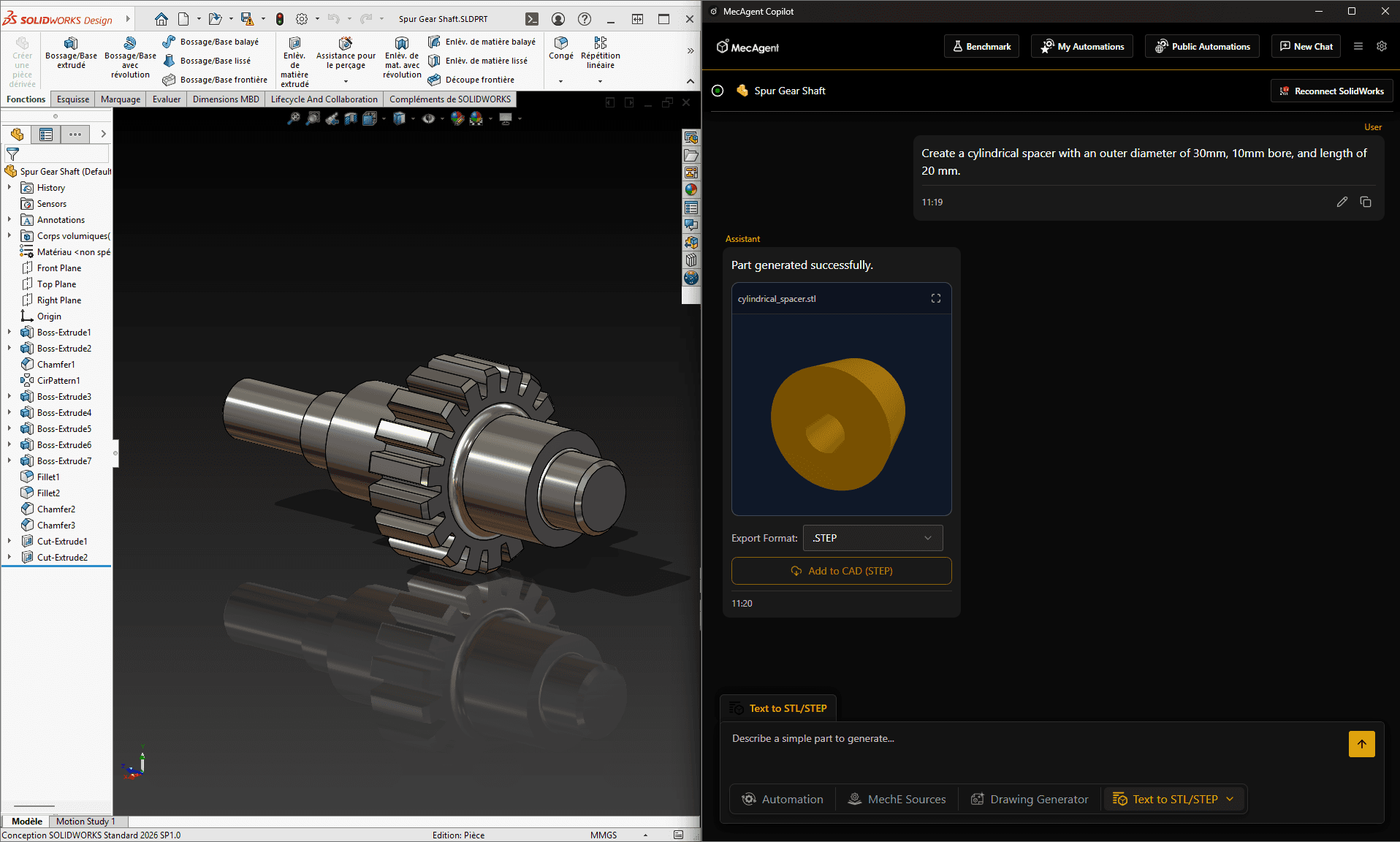
For a spacer (cylindrical, Ø 30 mm, 10 mm bore, 20 mm length), he doesn’t even model it anymore. He enters the description into Text to STL/STEP, and a STEP file appears in his CAD assembly in under a minute.
Simulation that used to take half a day
The support must be stress-validated. Sylvain exports to Ansys, which now includes AI-assisted meshing. It automatically suggests refinement zones and detects two stress concentrations he had not identified.
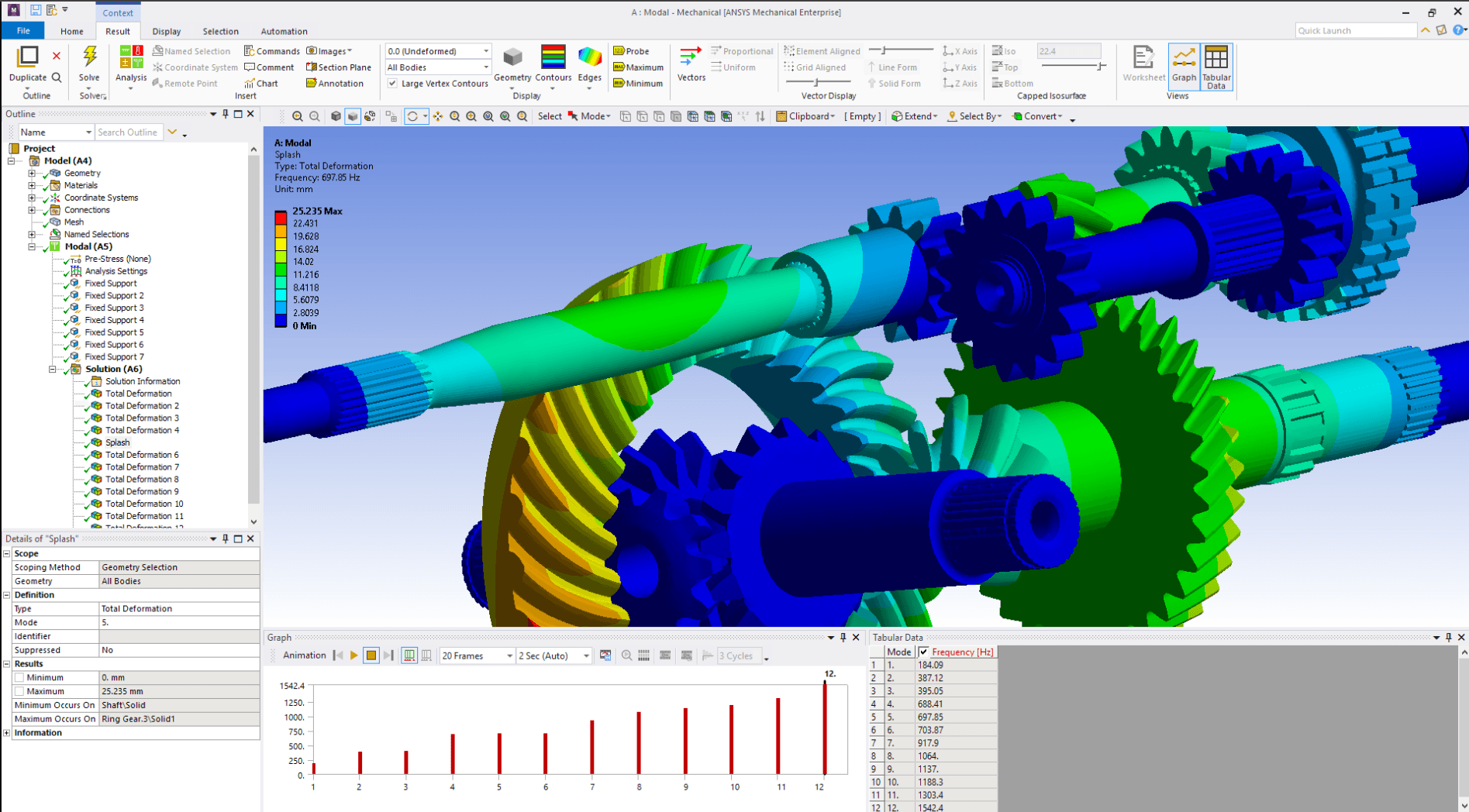
A potential failure point, detected before becoming a problem.
He runs a second simulation in SimScale to validate boundary conditions on the CAD geometry.
From launch to analyzed results: 45 minutes.
A year ago, this took half a day, not because Sylvain was slow, but because setup was extremely heavy.
AI handles configuration. He handles judgment. That boundary is essential, and he respects it.
But within that framework, the time savings are real and so is the quality. Finding a simulation issue costs nothing. Discovering it after manufacturing costs everything.
Lunch break, macro running in the background
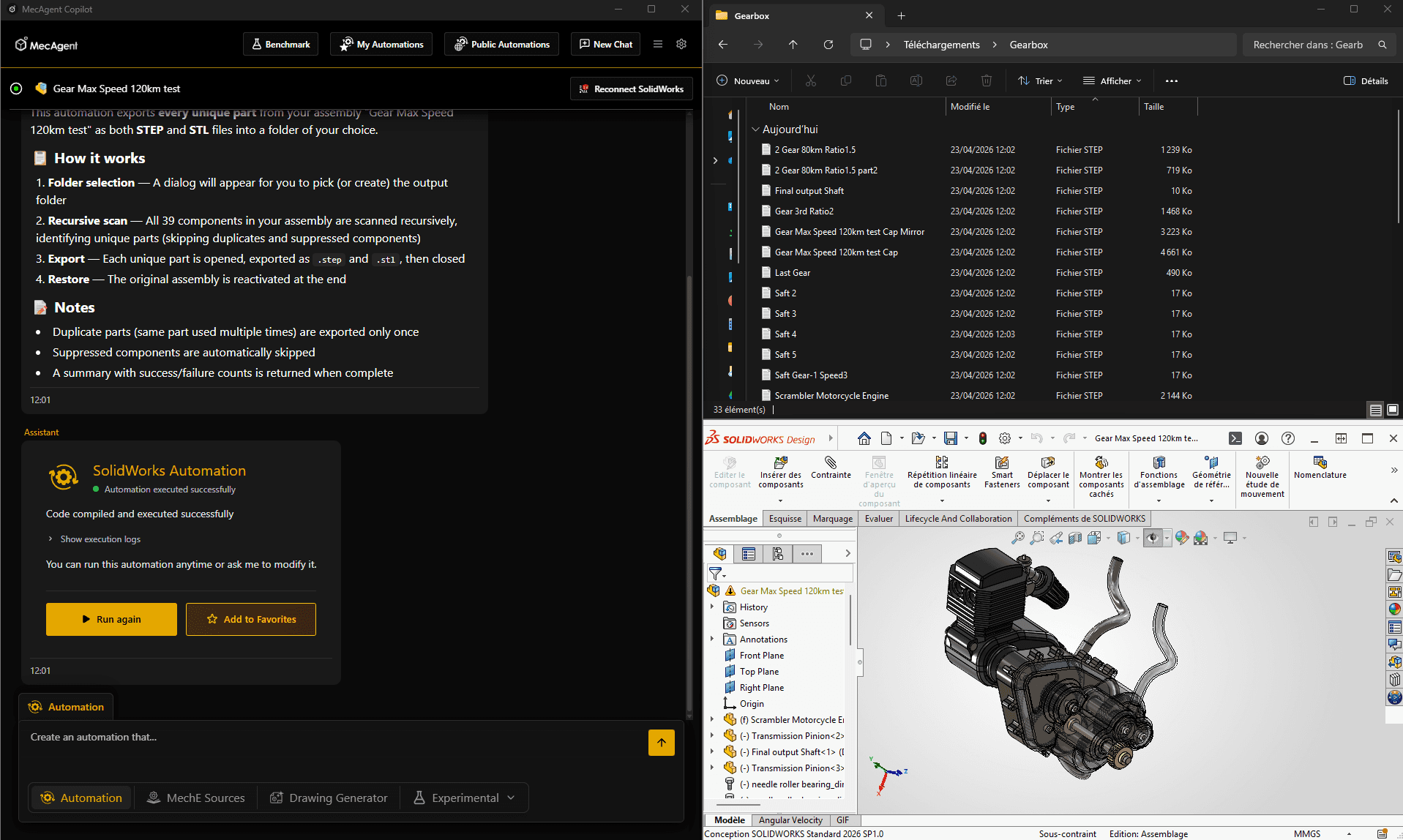
Before leaving for lunch, Sylvain gives an AI command: export all gearbox parts to STEP, place them in the client folder, and generate a PDF for each drawing.
Then he leaves.
The macro runs while he eats. When he returns, everything is ready: clean, consistent, properly named, ready to send.
No clicking through 40 parts. No missed files. No last-minute naming issues.
90 minutes of CAD work. 30 seconds of AI command.
The client receives a cleaner deliverable. Sylvain eats lunch in peace.
Four drawings, one afternoon, zero wasted time
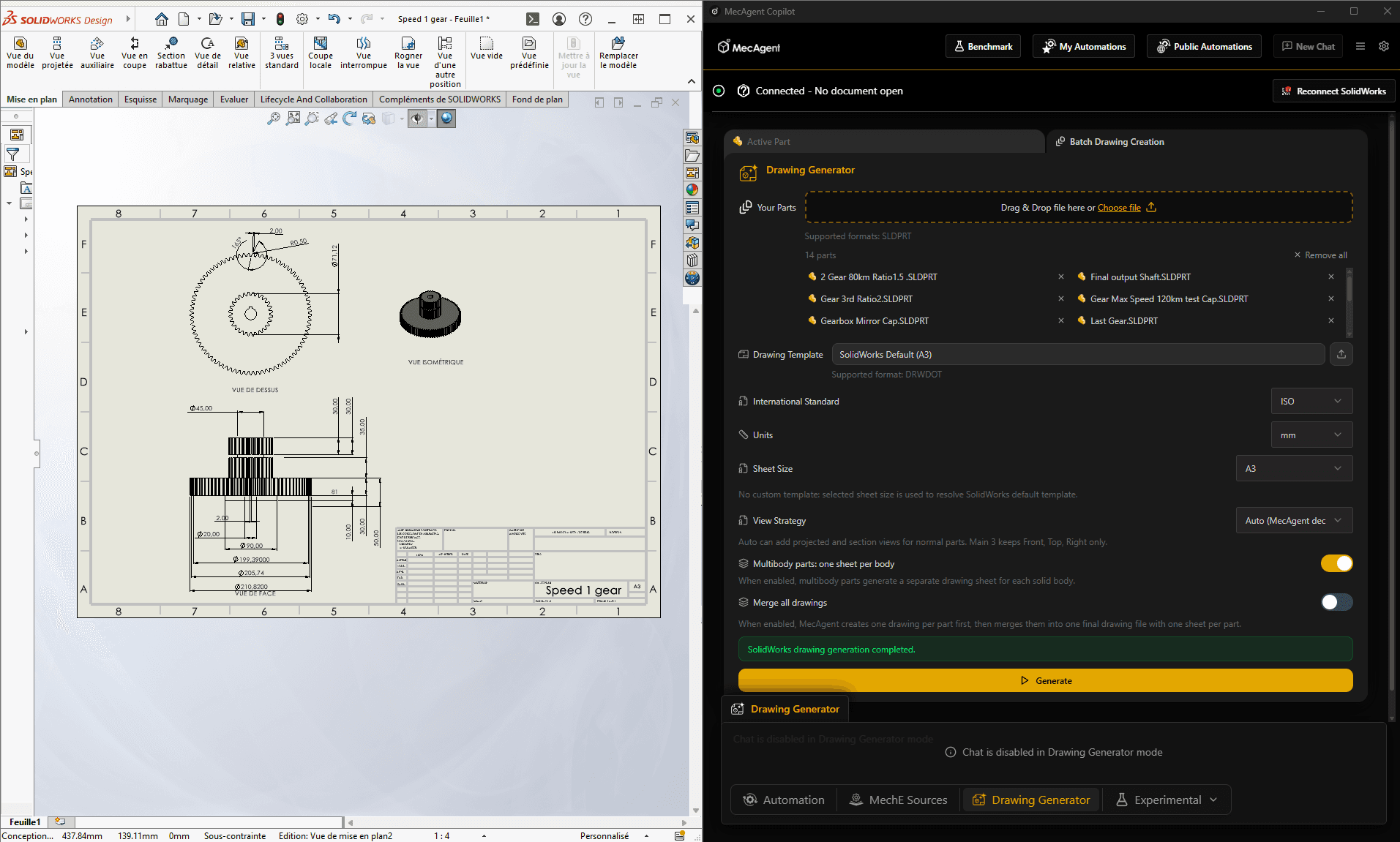
The afternoon is dedicated to drawings. Four new parts must be documented for manufacturing.
Previously, this meant placing views, adjusting projections, filling title blocks, and building BOMs manually. Necessary work, but not what engineers dream about.
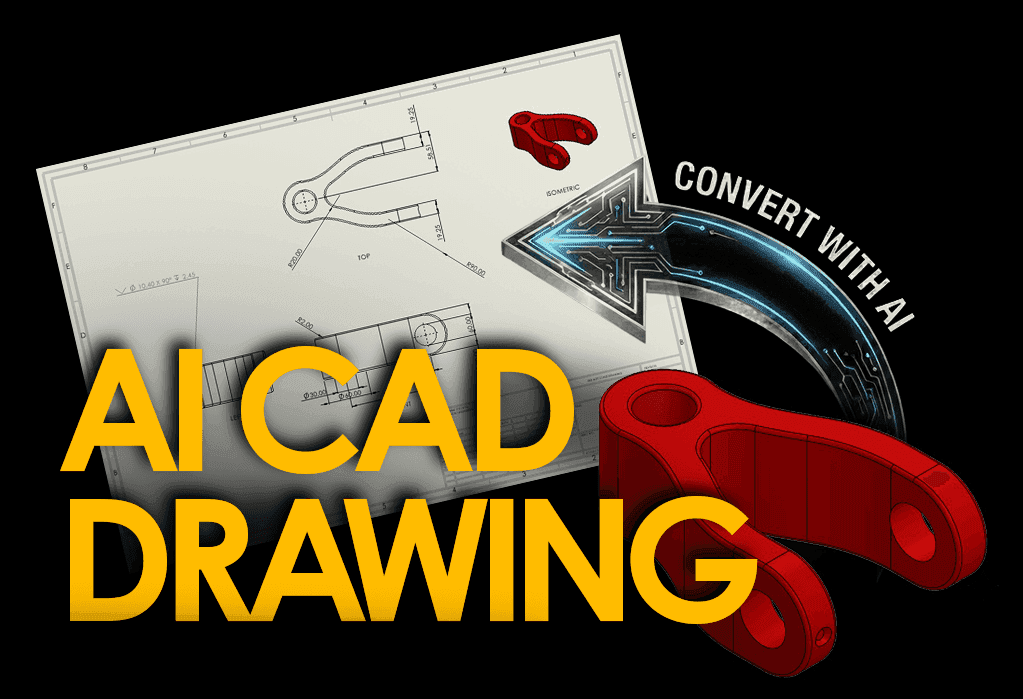
Sylvain opens MecAgent’s AI drawing generation: automatic views (front, side, top, isometric), BOM, title blocks, standard annotations, all generated from model properties.
What he keeps:
GD&T tolerances
Company-specific requirements
Final validation
The rest is automated.
Four drawings are ready for review by mid-afternoon. And more importantly, they are consistent: same formats, same conventions, every time.
The workshop reports fewer documentation errors. Production exchanges decrease.
Less correction. More production.
He uses the saved time to think about design, not just documentation.
End of day and what it represents
Late afternoon, Sylvain searches for a specific bearing. He enters the specs into the MecAgent Copilot’s Online Part Finder, gets references in seconds, and inserts the 3D model.
Five minutes. Previously: thirty.
He also sends a client update based on a ChatGPT draft, refined, reviewed, and validated in fifteen minutes instead of forty-five.
The client receives a clearer message. Sylvain leaves work on time.
What his Tuesday actually looked like
| Task | Before AI | With AI |
|---|---|---|
| Standards research (x3) | 60 min | < 5 min |
| Bulk STEP + PDF export | 90 min | 30 sec |
| 4 manufacturing drawings | Entire afternoon | 1.5 h |
| FEA simulation | Half day | 45 min |
| Parts search | 30 min | 5 min |
| Client email | 45 min | 15 min |
Total time saved: ~5 hours
Five hours. Every Tuesday.
This is not just productivity gain. It is a different job.
The real change
Sylvain did not change careers. He simply stopped spending his time on tasks that did not require him.
This is not a revolution. It is an accumulation of small gains, every day, on things that should have been automated long ago. Now that they are, he does what he was trained to do.
For engineers still hesitant, his advice would be simple: pick one task that has annoyed you for months. Start there.
MecAgent Inc.
Download the Beta
Book a Demo
Download (Free)
Book a Demo
Other articles you might like
Learn how to increase your productivity with calendars
“Mythos.1” - Class AI in Mechanical Engineering and CAD Design
MecAgent Inc.
AI CAD Copilots in 2026: 7 Tools Compared for Mechanical Engineers
MecAgent Inc.
Claude Fable 5 x MecAgent 1.2.0 on CAD
MecAgent Inc.
Features
Pricing
AI CAD Community
Careers
Contact