
Transforming SOLIDWORKS from a rigid CAD tool into a centralized, no-code engineering ecosystem.
When people think of SOLIDWORKS, the image that immediately comes to mind is that of a serious, structured, almost austere tool. Massive assemblies, meticulously detailed drawings, demanding simulations... It is the software of choice for thousands of engineers and designers, and for good reason.
Yet behind this rigorous façade lies a level of flexibility that the vast majority of users never take advantage of: the ability to integrate fully customized interfaces directly into the software. An additional layer, invisible at first glance, capable of transforming your familiar workspace into an environment tailored specifically to your engineering needs.
To understand the extent of this freedom, let's start where it is most obvious—and most entertaining.
1. When CAD Becomes a Playground
SOLIDWORKS hides a surprise that most users are unaware of: its interface can host windows and panels that have absolutely nothing to do with CAD. You do not need to understand the technical details behind it to enjoy the possibilities, but those who explore this capability rarely begin with something practical.
Imagine the scene: a particularly demanding finite element simulation is running in the background and will take ten minutes to complete. Instead of reaching for their phone, the engineer launches a game of Tic-Tac-Toe directly from a SOLIDWORKS side panel. Elsewhere, in another engineering office, a developer has integrated a small darts score calculator to liven up coffee breaks, always accessible with a single click from the software interface.
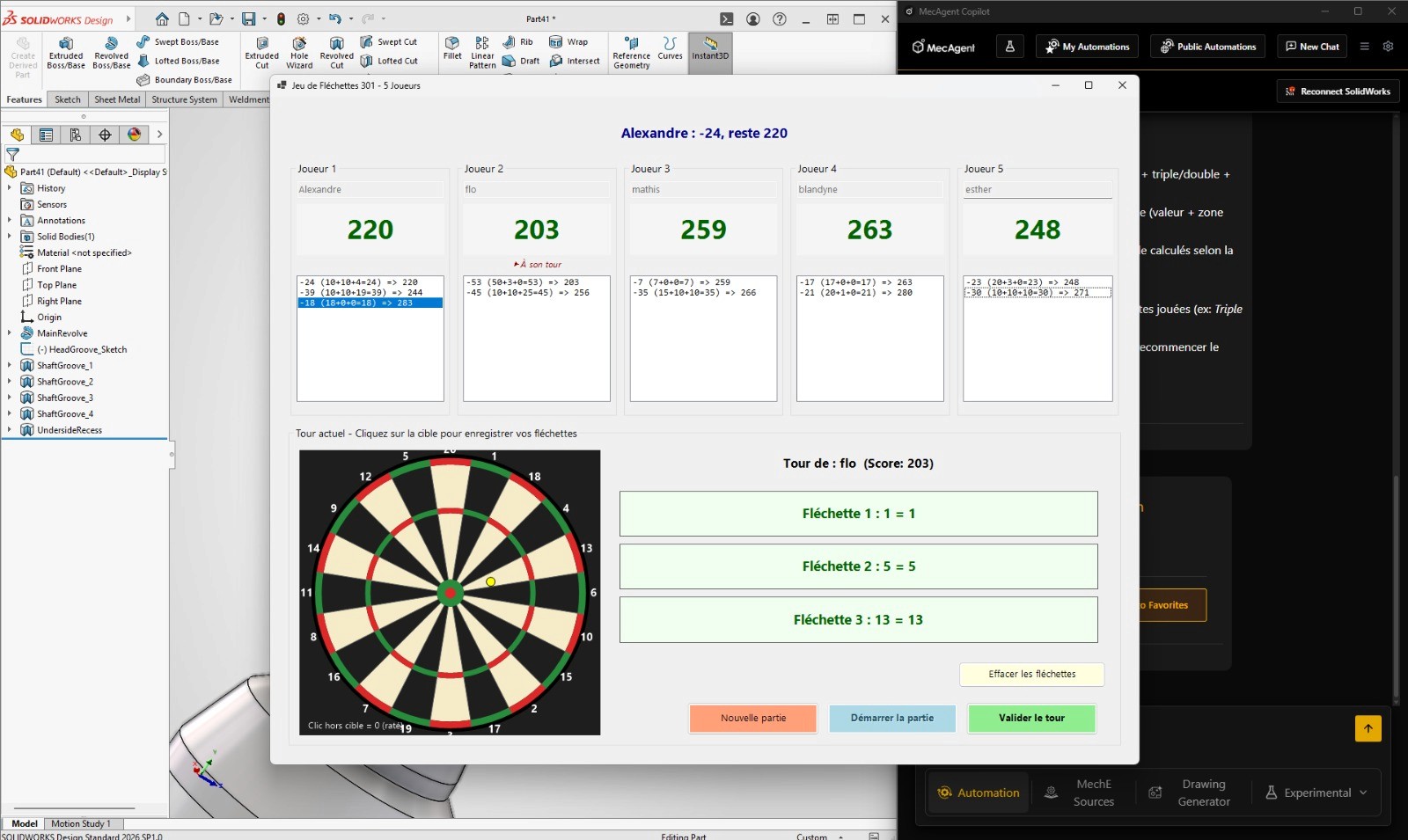
These examples may sound amusing, but they illustrate something fundamental: the SOLIDWORKS interface is not a closed box. It is extensible, adaptable, and capable of hosting windows and interactions that, at first glance, have nothing to do with CAD.
And if it can host a game, it can certainly host far more powerful tools for your daily engineering work.
2. From Games to Engineering: Centralizing Technical Information Without Leaving SOLIDWORKS
The true value of customized interfaces is not entertainment, it is information centralization.
How many times a day does a designer switch between SOLIDWORKS, an Excel spreadsheet, a notebook, and a PDF specification document? Every context switch is a micro-interruption. Repeated dozens of times a day, this invisible friction eventually takes a significant toll on productivity.
The idea is simple: bring that information directly into the CAD environment where engineers are already working.
Embedded Data Tables
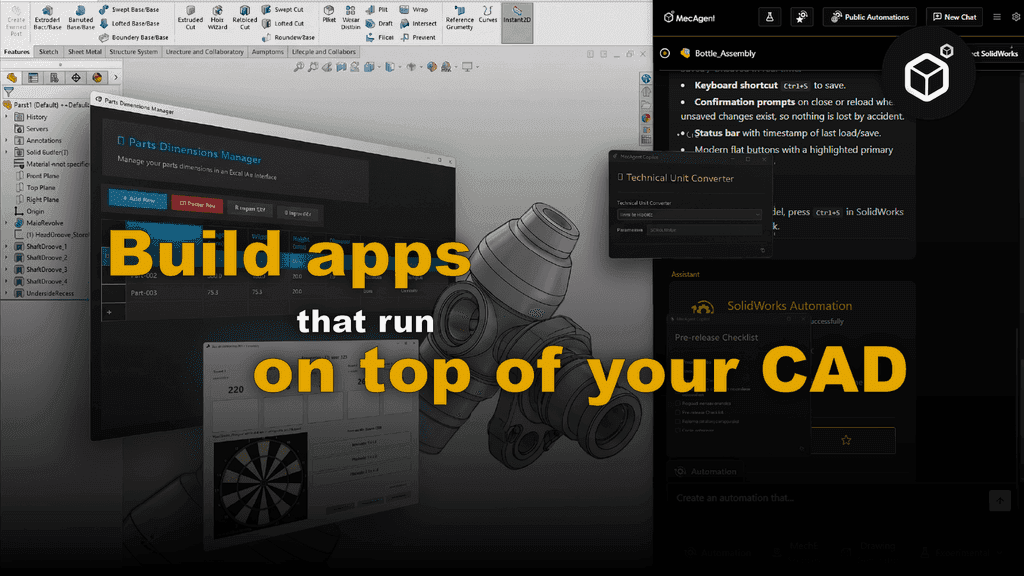
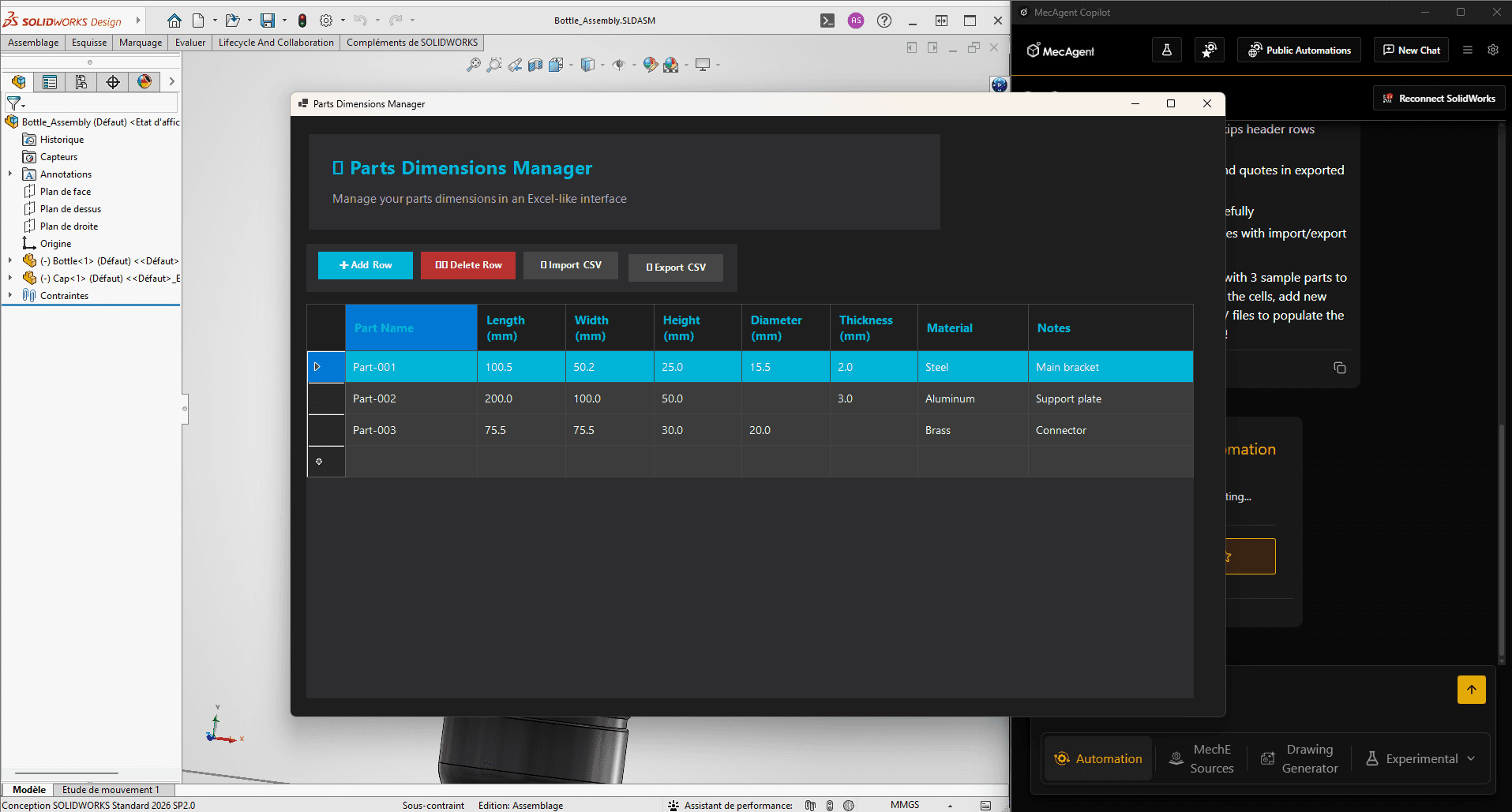
Instead of opening a separate Excel file to consult a list of standardized dimensions or configuration parameters, you can display that information directly alongside your CAD session. Everything remains synchronized, readable, and accessible without ever leaving the 3D model. No more back-and-forth between applications, and no more risk of working from an outdated external file.
Contextual Notes and Specifications
Every part and assembly comes with comments, manufacturing constraints, and shop-floor instructions. Rather than storing them in separate documents, a custom text interface can display them directly alongside the relevant model. The information follows the file, not the other way around.
A Cleaner Working Environment
These windows and data panels integrate seamlessly into your workspace. The goal is not to clutter the modeling area, but rather to display only what is relevant at the exact moment it is needed. Contextual information delivered at the right time is far more valuable than ten documents opened simultaneously.
The Coding Barrier: No Longer an Obstacle
Historically, creating this type of interface required software development expertise—whether through VBA macros, C# scripts, or custom applications built with the SOLIDWORKS API. Resources that most engineering teams simply do not have.
This is exactly what MecAgent changes.
By simply describing what you need in natural language, the copilot generates the interface for you. A technical unit converter directly accessible from SOLIDWORKS without opening Google or an Excel spreadsheet. A pre-release drawing validation checklist. Or, for a lighter touch, even a Tic-Tac-Toe game to pass the time during long simulations.
No code. No programming skills required. Just describe what you want.
Conclusion: Building an Engineering Ecosystem Around CAD
Easter eggs are only the visible tip of a much more interesting technical reality: SOLIDWORKS is an open, extensible ecosystem capable of adapting to your workflows rather than forcing you to adapt to it.
The real opportunity is not to modify CAD software itself, but to build a connected workspace around it. By bringing data tables, contextual notes, calculators, checklists, and custom tools into a single environment, engineers spend less time switching between applications and more time designing.
With MecAgent, creating these custom engineering workspaces no longer requires software development resources. Engineers can simply describe what they need and generate tailored tools in minutes, without writing a single line of code.
MecAgent Inc.
Download the Beta
Book a Demo
Download (Free)
Book a Demo
Other articles you might like
Learn how to increase your productivity with calendars
“Mythos.1” - Class AI in Mechanical Engineering and CAD Design
MecAgent Inc.
AI CAD Copilots in 2026: 7 Tools Compared for Mechanical Engineers
MecAgent Inc.
Claude Fable 5 x MecAgent 1.2.0 on CAD
MecAgent Inc.
Features
Pricing
AI CAD Community
Careers
Contact