
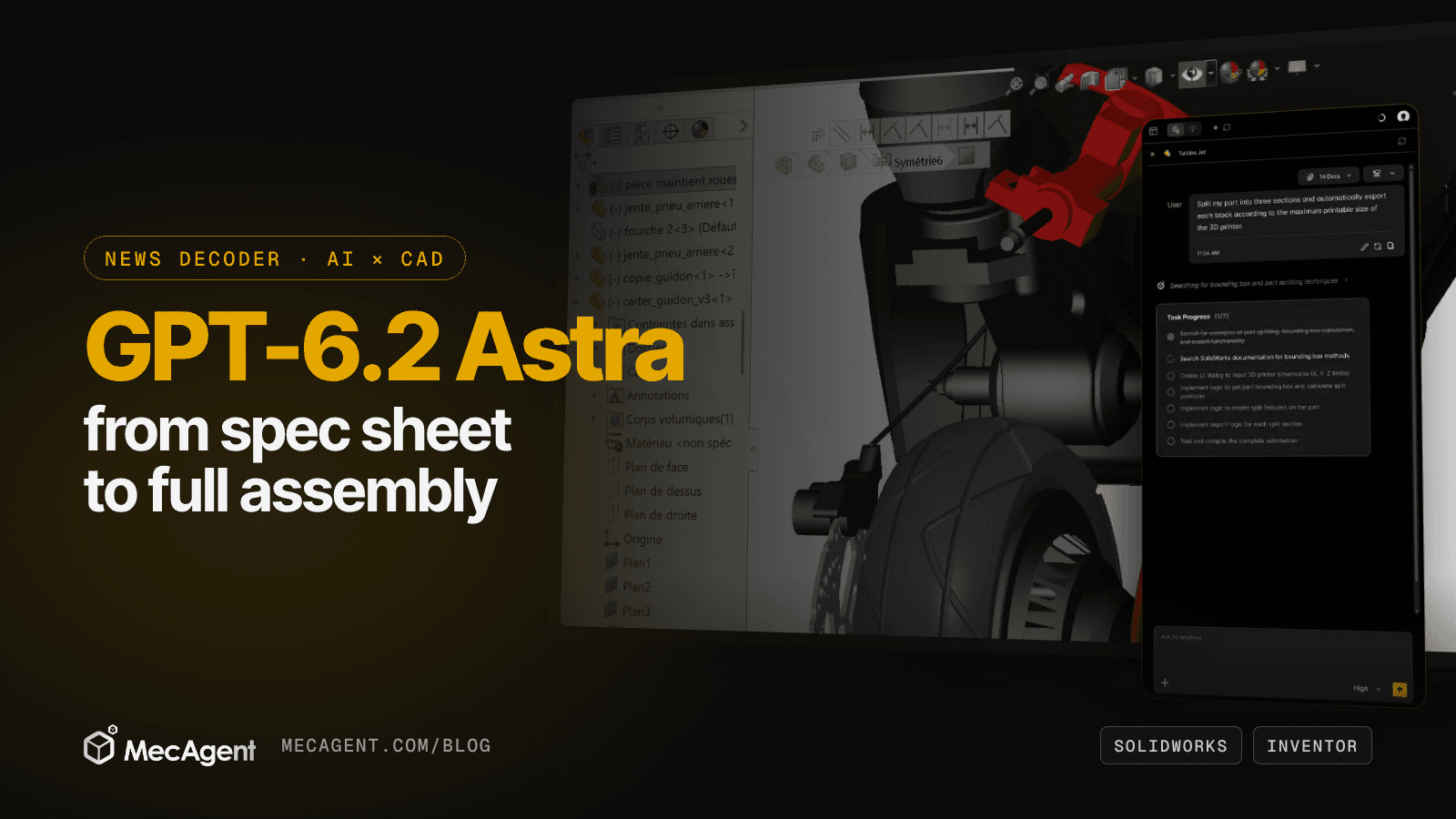
GPT-6.2 Astra, which OpenAI released on November 17, 2026, is now close to the top of the field in CAD. On OpenAI's own charts, it scores 82.5 on BenchCAD 2.1, the hardware-design benchmark that both OpenAI and Anthropic quote, one point behind Claude Fable 5.2, for about a tenth of the cost per task. For mechanical engineers, that makes a frontier model cheap enough to run long jobs such as turning a spec sheet into a full assembly, provided it works through real CAD tools.
MecAgent works natively in SOLIDWORKS and Autodesk Inventor 2024, 2025 and 2026, and our Spec-to-CAD demos show that spec-sheet-to-assembly workflow in SOLIDWORKS.
OpenAI says the difference shows in "slideshows, websites, and 3D designs." This article covers what is new, what the CAD numbers say and leave out, and what a stronger 3D model changes when the input is a spec sheet and the output must be a complete assembly.
| GPT-6.2 Astra | As of November 2026 |
|---|---|
| Released | November 17, 2026, with the lighter GPT-6.2 Sol |
| BenchCAD 2.1 Core (OpenAI's chart) | 82.5, vs 83.5 for Claude Fable 5.2 |
| Cost per BenchCAD task (OpenAI's chart) | $5.43, vs $50.77 for Claude Fable 5.2 |
| API price, per million tokens | $8 input ($0.40 cached), $40 output |
| Context window | 1,050,000 tokens, up to 128,000 output tokens |
| Inputs | Text and images |
| Tools in the API | Computer use, code interpreter, hosted shell, file search, MCP and more |
| Where to use it | ChatGPT Work and Codex (Plus, Pro, Enterprise, Edu), the API (gpt-6.2-astra) |
Sources: OpenAI's developer announcement and model page; benchmark charts from OpenAI's launch post, as reported by DataCamp.
What's New in GPT-6.2 Astra
The new Astra is a stronger, cheaper successor to GPT-6 Astra: OpenAI says it sets new highs across professional work and scientific research at less than a third of GPT-6 Astra's cost per task (OpenAI, November 17, 2026).
It ships with GPT-6.2 Sol, an efficient model for everyday work at $2 input and $10 output per million tokens. On agentic work, OpenAI reports that Astra at xhigh effort scores 5.2 points above GPT-6 Astra at max effort on Agents' Last Exam, at less than half the cost per task.
Three details matter for long CAD jobs, all from OpenAI's model page:
- Long context, with a price step. The window holds 1,050,000 tokens, but requests over 272,000 input tokens pay double on input.
- Images in, text out. The model reads images, so photos, scans and drawings can sit in the same request as the spec.
- Subagents. The API offers a multi-agent beta in which a lead model delegates parts of the work to subagents.
OpenAI's migration guide suggests starting new integrations at medium reasoning effort.
How Good Is GPT-6.2 Astra at CAD?
On BenchCAD 2.1, OpenAI's new model is a close second to Claude Fable 5.2 at a fraction of the cost; on agentic coding, Fable 5.2 keeps a clear lead. Anthropic describes BenchCAD 2.1 as measuring how closely a model's designs match reference geometry and circuits, scored from 0 to 100 with partial credit (Anthropic).
| Model | BenchCAD 2.1 | Cost per BenchCAD task | FrontierCode 2.0 (agentic coding) |
|---|---|---|---|
| Claude Fable 5.2 | 83.5 | $50.77 | 49.1% |
| GPT-6.2 Astra | 82.5 | $5.43 | 44.2% |
| GPT-6.2 Sol | 73.1 | Not reported | 43.8% |
| Claude Opus 5.5 | 65.3 | Not reported | 45.5% |
| GPT-6 Astra | 62.6 | Not reported | 42.8% |
Scores for Claude models come from Anthropic's announcement (November 9, 2026); scores for GPT models and both costs per task come from OpenAI's launch charts (November 17, 2026), as reported by DataCamp and OfficeChai. OpenAI calls the benchmark "BenchCAD 2.1 Core," and each lab sets its own effort levels, so read small gaps with care.
Three readings matter for engineers:
- A 20-point jump in one release. The new Astra gains about 20 points over GPT-6 Astra, the model behind our Spec-to-CAD demos.
- The cost gap is the story. At $5.43 against $50.77 per task on OpenAI's run, near-best CAD quality costs about a tenth as much.
- Not every benchmark. Claude Fable 5.2 still leads on agentic coding, which is what writing CAD macros and scripts relies on.
OpenAI also showed the model working in CAD and simulation tools down to individual parts and connections. The demos, as DataCamp and OfficeChai describe them: chassis dynamics for a car, computed with a custom Python solver and animated in 3D; an animated assembly guide for a 1:8-scale RC buggy, built from public photos and manuals; and a paper lamp refined through CAD revisions.
What a Stronger 3D Model Changes
A model that reads images, holds a long spec in context and costs less per task can afford to read the whole spec sheet and check its own work. That is what turns a spec into a usable assembly rather than a pretty shape.
1. It reads the whole spec
Spec sheets mix tables, sketches, photos of a reference product and pages of requirements. With image input and a 1,050,000-token window, all of it can go into one request, so the model works from your source of truth instead of a summary.
2. It can afford to check its work
An assembly is dozens of decisions: dimensions, references, mates, materials. At about a tenth of the cost per BenchCAD task, a model can plan, build, check and correct several times within the same budget. In CAD, that loop matters more than the first draft.
3. It drives tools, but the tools decide
OpenAI's model supports computer use, so it can click through desktop software. In industrial CAD, though, a June 2026 arXiv study found that frontier models driving the graphical interface reached near-zero success, while working through the software's programming interface gave substantial gains (arXiv). That is why MecAgent acts through dedicated CAD tools: it reads the model, runs features, checks the result and corrects itself.
From Spec Sheet to Full Assembly, Step by Step
In MecAgent, a spec-sheet-to-assembly job follows five steps, and a stronger model raises the quality of each one without changing the steps. Our demo library films this with GPT-6 Astra in MecAgent V2.0, in SOLIDWORKS: a drone and an RC helicopter, each built from a spec sheet.
Step 1: Give it the spec, not a summary
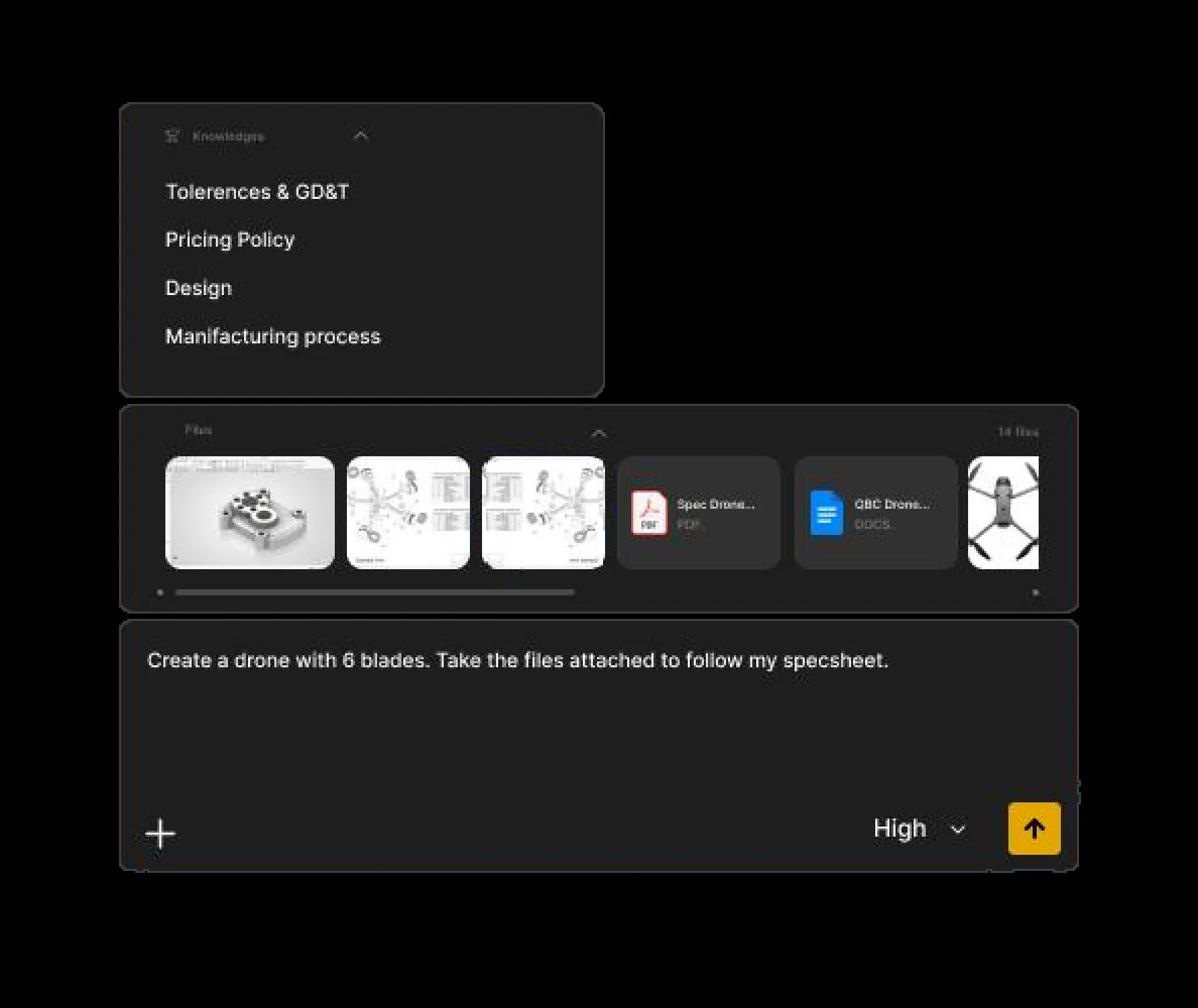
Attach the spec sheet, reference drawings, photos and datasheets, and say what to build. Store company rules (tolerances, materials, processes) once as General Knowledges, so every request uses them.
Create a drone with 6 blades. Take the files attached to follow my spec sheet.
Step 2: Let the agent plan, then build part by part
The CAD Agent plans the work, shows its Task Progress and builds each part feature by feature in your open session, with an editable feature tree. On complex products, build the base first, check it, then add the details: it is easier to control and greatly increases the success rate.
Step 3: Assemble in context and mate
Parts that connect other parts are designed in context. Name the references, or select the faces:
Design a motor plate that bolts to the two selected faces with 4 M6 screws, then mate it.
Step 4: Make specific changes by pointing at the model
Select faces, edges or components in your CAD software, then refer to "the selected face": the agent knows what is selected. For changes that are hard to put into words, sketch on a capture of the CAD view.
Add a 2 mm fillet on every outer edge.
Create three configurations of this bracket: thickness 3, 4 and 5 mm.
Step 5: Finish the assembly
Apply materials and update the mass, build the exploded view, set up the motion study, then generate the drawings:
Apply stainless steel 304 to all fasteners and ABS to all covers, then give me the total mass.
Create an exploded view of this assembly, sub-assembly by sub-assembly.
Set up a motion study with a rotary motor at 60 RPM on the main shaft for 10 seconds.
Our RC helicopter series in the demo library takes the same assembly through each of these steps: materials, exploded view, configurations, motion, assembly drawing and an export macro. The Text-to-CAD guide covers the part-level workflow, live or as a Background Task.
In MecAgent, you pick a MecAgent model rather than an AI vendor: Max for the most complex parts and assemblies and long multi-step requests, High by default, lighter models for quick edits.
What It Does Not Change
The new model lowers the cost of good CAD reasoning; it does not remove the need for a precise spec, a CAD-native agent and an engineer's review.
- There is no single best model. Claude Fable 5.2 still edges Astra on BenchCAD 2.1 and leads on agentic coding; Astra wins on cost. Our Claude Fable 5.2 article covers the other side.
- A spec with gaps gives a model with guesses. Missing dimensions, tolerances or references get filled in by the model. Put them in the spec, or in General Knowledges.
- Class-A surfaces stay hard. Complex freeform or class-A surfacing from a vague description is still out of reach, as MecAgent's own user guide says.
- The engineer still signs. Fits, tolerances, GD&T, validation and release remain engineering decisions.
- Data needs a decision. Check where your files go before sending a spec sheet to any AI. On MecAgent's paid plans, CAD files are not collected automatically and customer content is not used for AI training; the Free plan includes data collection, as explained on our security page.
Bottom Line
GPT-6.2 Astra brings near-best CAD reasoning down to about a tenth of the cost per task, on OpenAI's own numbers. For mechanical engineering teams, that matters most for long jobs like spec-sheet-to-assembly, where a model has to read everything and check itself many times. Run it where it can act on real geometry, write specs like drawings, and keep the engineer in charge of release.
FAQ
What is GPT-6.2 Astra?
GPT-6.2 Astra is OpenAI's frontier model for demanding projects, released on November 17, 2026, alongside the lighter GPT-6.2 Sol. The model reads text and images, has a 1,050,000-token context window and is available in ChatGPT Work, Codex and the OpenAI API.
How much does GPT-6.2 Astra cost?
On the OpenAI API, GPT-6.2 Astra costs $8 per million input tokens ($0.40 cached) and $40 per million output tokens, with higher input rates above 272,000 input tokens. On OpenAI's BenchCAD 2.1 Core chart, as reported by DataCamp, a task cost $5.43 with GPT-6.2 Astra, against $50.77 with Claude Fable 5.2.
Is GPT-6.2 Astra better than Claude Fable 5.2 for CAD?
Not on raw score: Claude Fable 5.2 scores 83.5 on BenchCAD 2.1 according to Anthropic, and GPT-6.2 Astra 82.5 on OpenAI's chart. OpenAI's model is far cheaper per task, while Claude Fable 5.2 leads on agentic coding, 49.1% against 44.2% on FrontierCode 2.0.
Can GPT-6.2 Astra create a CAD assembly from a spec sheet?
GPT-6.2 Astra can read a spec sheet with its images and, according to OpenAI's demos, work in CAD tools down to individual parts and connections. To get a native assembly with feature trees and mates, the model needs an agent with CAD tools: MecAgent builds parts, assembles them in context and mates them in SOLIDWORKS, from a request like "Create a drone with 6 blades. Take the files attached to follow my spec sheet."
Which CAD software does MecAgent support?
MecAgent works natively in SOLIDWORKS and Autodesk Inventor 2024, 2025 and 2026. For CATIA V5, 3DEXPERIENCE, Autodesk Fusion, Siemens NX, Solid Edge, Onshape and PTC Creo, the MecAgent web app delivers STEP models and PDF drawings that open in any CAD software.
Sources
- OpenAI: GPT-6.2 Astra and Sol are now available (developer announcement, November 17, 2026), model page, Using GPT-6.2
- OpenAI's launch charts and demos, as reported by DataCamp and OfficeChai
- Anthropic: Introducing Claude Fable 5.2 and Claude Mythos 5.2 (November 9, 2026)
- Ai et al., ComAct: Reframing Professional Software Manipulation via COM-as-Action Paradigm, arXiv, June 2026
- MecAgent: demo library, Text-to-CAD, user guide, security and data