
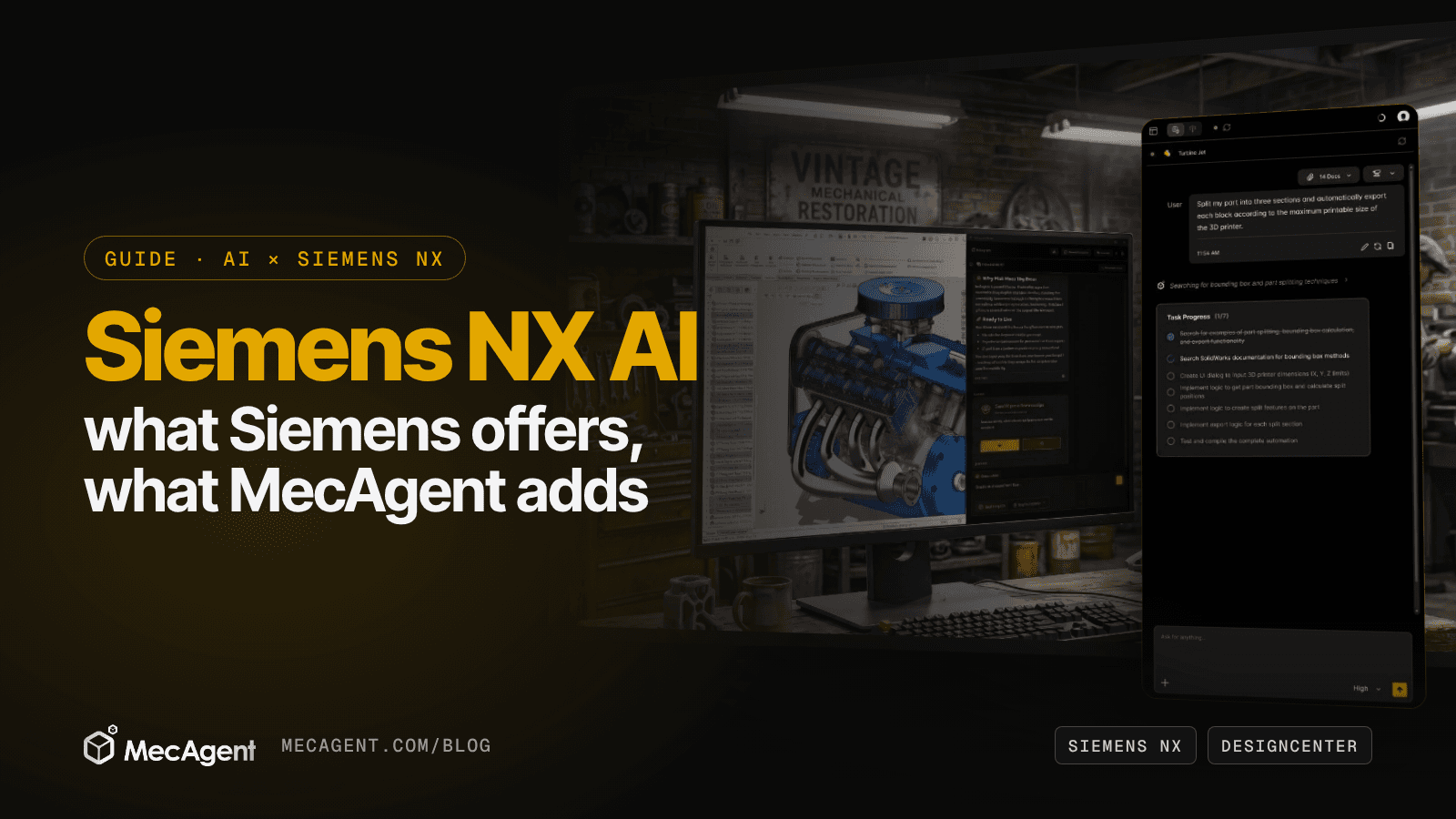
Siemens NX AI comes in two layers. Siemens builds AI into NX itself, now sold as Designcenter: features that predict your next command and selection, Designcenter Copilot for answers, and optimization tools that generate shapes (Siemens). MecAgent adds a second layer: an independent AI agent, with a native add-in for Siemens NX since November 2026, that does the modeling, exports, drawings and repetitive work in your open NX session.
This guide covers both: what Siemens offers in NX today, what MecAgent adds as a complement, and how to use them together.
Latest (November 2026): In its IMTS 2026 recap (November 4), Siemens showed Designcenter X with its built-in Copilot, generative design and prompt-driven AI design agents that run setups on their own. On November 17, researchers from Siemens and the Technical University of Munich posted BRepA, a model that learns both the geometry and the topology of B-rep CAD models. And MecAgent now works natively in NX, with the same installer as for SOLIDWORKS and Inventor.
Siemens NX AI at a Glance: Siemens and MecAgent Side by Side
| Your need | What Siemens offers in NX | What MecAgent adds |
|---|---|---|
| Find the right command | Command Prediction (Adaptive UI), voice commands | Nothing: Siemens covers it |
| Pick the right geometry | Selection Prediction, Select Similar Faces/Edges | Name the geometry in plain words, like "every outer edge" |
| Answers and error help | Designcenter Copilot, with numbered sources | Nothing: use Copilot |
| Model and detail parts | Copilot points you to the commands | The agent builds the part and its features in your open document |
| Materials and mass | No AI feature named by Siemens | Applies materials across parts and updates the mass, in one prompt |
| Supplier exports | No AI feature named by Siemens | STEP and PDF files for every part, in one folder |
| Drawings | PMI Annotation Plane Prediction | CAD-to-Drawing in the background, delivered as PDF |
| PDF drawing to 3D model | No AI feature named by Siemens | Drawing-to-CAD in the background, delivered as STEP |
| Structural optimization | Topology Optimization; Performance Predictor and CFD Designer on Designcenter X | Nothing: Siemens covers it |
| Repeat work | NX Open journals you record, play and edit | Automations written once by the AI, then run as standard scripts |
| Company know-how | Adaptive UI models trained by experts, shared with new users | General Knowledges: your standards as context for every request |
| Agents | AI design agents in Designcenter X, according to Siemens | An agent in your open NX session today |
"No AI feature named by Siemens" means that Siemens' AI page and the Siemens posts cited in this guide list none for that job, not that NX cannot do it by hand.
What Siemens Offers: The AI Built into NX
Siemens NX AI has grown since Command Prediction arrived in 2019, and Siemens says its AI-powered capabilities are used more than 500,000 times a month (June 2026 release). Siemens describes the road ahead as moving from predictive AI through agentic AI.
Siemens' AI page puts figures on four features: 70% faster workflows with Copilot, 5x more efficient selection with Selection Prediction, 90% cost savings with Topology Optimization and 40% faster command execution with voice commands. The page does not say how those figures were measured, so read them as Siemens' claims, not benchmarks.
Predictive Features: Fewer Clicks, No Prompt
- Command Prediction (Adaptive UI) predicts the commands you are most likely to want from the context of your work and shows them in a compact panel (Siemens, 2019). It knows a sketch from a sheet-metal part, starts recommending tools in as little as a week, and a model trained on an expert's work can be exported to a new user in a few clicks (Siemens).
- Selection Prediction predicts which features you want to select from the tool you are using (same source).
- Select Similar Faces/Edges finds the faces or edges that match your pick within a sensitivity range, through AI-enabled recognition, ready for a bulk blend or chamfer (Siemens, December 2025 release).
- PMI Annotation Plane Prediction uses domain-specific machine learning models to assign the annotation plane of each product and manufacturing information (PMI) object, according to the same release notes.
- Voice commands turn several levels of menus and clicks into spoken keywords (Siemens): you train a command sequence once, then trigger it by voice (Siemens).
- Molded Part Designer uses a machine learning model to suggest changes, predict draft angles and run quick validation checks on plastic parts (Siemens).
Pro tip: let your most experienced NX user train Adaptive UI first, then share the model with new hires.
Designcenter Copilot: Answers Inside NX
Designcenter Copilot is Siemens' AI assistant in NX: you ask in plain language, it answers from Siemens knowledge and best practices, and it points you to the commands to use. It started as Design Copilot NX in the December 2024 release, available through Value Based Licensing (Siemens), became Designcenter X NX Copilot, and is now Designcenter Copilot.
According to Siemens, Copilot turns questions into domain-specific commands, from design approaches to error resolution (December 2025 release). It uses your active application, your task and the conversation history, and saves past conversations (June 2026 release). Siemens' May 2026 tips post places it in Designcenter X NX, behind two star icons next to the search bar, with suggested prompts, numbered sources and links to commands; it does not access personal user data, but it does consider your recent commands.
How far does it act? Siemens' AI page calls its natural-language copilot an Industrial Copilot powered by Microsoft Phi-3 that can get information or even make design changes; the tips post describes guidance and answers. Test it on your own models before you count on either.
Topology Optimization and Early Validation
Topology Optimization finds an optimized structural form from functional requirements (Siemens). You define the design space and materials, mark the regions to keep in or out, set the loads and boundary conditions (pinning down bolts, for example), then run the study (Siemens tips). The result is a mixed convergent body, a mesh with precise geometry included, that keeps associative updates.
On Designcenter X, Siemens adds Performance Predictor and CFD Designer for instant validation, through value-based licensing (IMTS 2026 recap).
NX Open: The Automation API
NX Open is the API that lets you write programs to customize or extend NX (Siemens). Siemens' getting-started guide describes a .NET library you can use from C# or Visual Basic, versions for C++, Java and Python, and journals you record, play and edit from the Journal group of the Developer tab.
What Comes Next: AI Design Agents
Siemens' IMTS 2026 recap presents prompt-driven AI design agents that run setups on their own in Designcenter X, to shorten design and validation cycles. Siemens and TUM researchers are also working on the geometry itself: BRepA learns from B-rep CAD models represented as graphs, and with only 1% of labeled samples it improved segmentation (mIoU) by 32.52% over training from scratch (arXiv).
What MecAgent Adds: An AI Agent in Your NX Session
Siemens' AI predicts, answers and optimizes. MecAgent adds the doing: you describe the task, and the agent carries it out in the document you have open. MecAgent is an independent AI CAD agent with a native add-in for Siemens NX, not a Siemens product, and it works next to Designcenter Copilot: you do not need one to use the other (AI for Siemens NX).
1. Modeling and Edits, Live
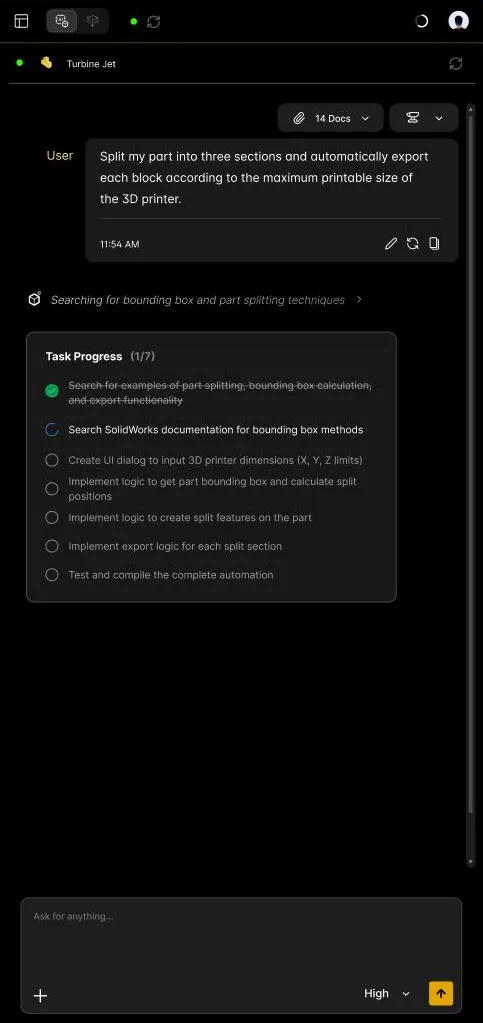
Describe the part or the change with numbers and references. The agent builds a plan, shows it as a live Task Progress and acts in the open document; you approve each tool execution, or turn on Auto-accept.
Create a flange with 6 M8 holes, 10 mm thickness, outer diameter 120 mm.
Add four Ø5 mm through holes, 10 mm from each edge, at the corners of the plate.
Add a 2 mm fillet on every outer edge.
2. Materials, Mass and Supplier Exports
The jobs nobody wants to do part by part go in one request each.
Apply aluminium 6061-T6 to all frame parts and update the mass.
Export every part of the assembly as STEP and PDF into one folder for the supplier.
3. Drawings and Drawing-to-CAD in the Background
Long jobs run as Background Tasks on MecAgent's servers while NX stays free for you. CAD-to-Drawing returns a dimensioned PDF drawing of your model. Drawing-to-CAD turns a PDF or image drawing into a STEP model, and Text-to-CAD does the same from a written brief or a spec sheet. Pick Other CAD Software (Output: STEP.) in Deliver for: the STEP models and PDF drawings open in NX like any other. For the method behind it, read Drawing to CAD: how to turn a PDF drawing into an editable 3D model.
4. Automations: The AI Thinks Once
When a task repeats, save it as an automation, which works in NX too. The AI does its thinking once, when the automation is created; the automation then runs as a standard script, fast and predictable, with no AI involved at run time (user guide).
That is the difference with asking a general chatbot for NX Open code. A chatbot can draft a journal, but it does not see your open document or check what its code does, so the debugging is yours. MecAgent acts through dedicated CAD tools: it reads the model, runs the features, checks the result and corrects itself.
5. Your Standards, and Your Other CAD Software
Add your standards, materials and supplier rules as General Knowledges, so the agent applies rules it would otherwise never know. And if your team also runs SOLIDWORKS or Inventor, the same installer and account cover all three: you choose the CAD software in the connection panel and switch at any time.
On pricing: for NX, MecAgent is available on quote only, and the standard plans and prices do not apply (contact us). On data: your NX offer sets out how your data is handled; the terms of each standard plan are on the security and data page.
How to Use Siemens' AI and MecAgent Together
Here is how the two layers split the work on a typical part, from requirement to supplier:
- Let NX predict. Keep Adaptive UI, Selection Prediction and voice commands on, and give them a week.
- Ask Copilot which command or setup fits, or why a feature failed.
- Optimize with Siemens. Run Topology Optimization on structural parts, and validate early with Performance Predictor on Designcenter X if your license includes it.
- Hand the modeling to MecAgent. Model the production part from its dimensions, add the holes and fillets, apply the material and update the mass.
- Send the drawing to the background. CAD-to-Drawing returns a dimensioned PDF while you keep working.
- Export, then automate. Ask for the STEP and PDF supplier pack, and save it as an automation for the next project.
Review every result before release: the agent shows its Task Progress, and you stay in charge of design intent and validation.
How to Get Started with MecAgent in NX
- Ask for a quote, then install it. MecAgent for NX is available on quote only: contact us with your team size and how you use NX. Then download MecAgent for Windows 10 or 11, the same installer as for SOLIDWORKS and Inventor.
- Connect it. Start NX: MecAgent detects it, and the status dot shows NX and the Agent as Connected. On a company network, ask IT to allow
proxy.mecagent.comon port 443. - Start small. Try a material update, a fillet pass or an export on a copy. Approve each tool execution until you trust the results, then switch to Auto-accept. The user guide shows how to prompt.
Limits to Keep in Mind
- An answer is not an action. A Copilot answer is a starting point: try the suggested command on your model.
- Vague requests fail. "Make it better" gives the AI no criterion. Give dimensions, references and the face or edge you mean; complex freeform surfacing from a loose description is out of reach today (AI for Siemens NX).
- A green check is not proof. In a paper posted on November 19, 2026, researchers from Helmholtz-Zentrum Hereon, Hamburg University of Technology and Saarland University let GPT-6 Astra redesign a magnesium stent through about 1,650 CAD parameters on a budget of 15 nonlinear simulations, and it cut the strain objective by 32%, where the shape optimizer Tosca improved it by about a tenth (arXiv). Yet a person still wrote the simulation setup, because weaker models accepted wrong setups and reported success.
- Licensing matters. Siemens has offered Design Copilot NX, Performance Predictor and CFD Designer through value-based licensing: check what your seat includes.
- AI does not own the design. On a Siemens podcast recapped on its blog, NX product manager Shirish More put it plainly: AI "is not here to replace engineers and designers." Release and compliance stay with you.
Bottom Line
Siemens NX AI already predicts your commands and selections, answers your questions through Designcenter Copilot and optimizes structures, and Siemens is heading toward AI design agents in Designcenter X. MecAgent complements it today with an agent that models, edits, applies materials and exports in your open NX session, runs drawings in the background and turns repeat work into automations. Use both: keep Siemens' tools on, download MecAgent, and give the agent one low-risk task from your mechanical engineering backlog.
FAQ
Does Siemens NX have AI?
Yes. Siemens NX, called Designcenter since the June 2026 release, includes Command Prediction (Adaptive UI) since 2019, Selection Prediction, Select Similar Faces/Edges, PMI annotation plane prediction, voice commands, Topology Optimization and Designcenter Copilot. Siemens says its AI-powered capabilities are used more than 500,000 times a month.
What does MecAgent add to Siemens NX?
MecAgent adds an AI agent that acts in the open NX session: it models parts from a description, adds features such as holes and fillets, applies materials and updates the mass, and exports STEP and PDF files. MecAgent also runs CAD-to-Drawing, Drawing-to-CAD and Text-to-CAD as Background Tasks, and saves repeat work as automations. MecAgent has had a native add-in for Siemens NX since November 2026.
Does MecAgent replace Designcenter Copilot?
No. Designcenter Copilot is Siemens' assistant for answers and command guidance inside NX; MecAgent is an independent agent that carries out tasks in the open document. MecAgent works next to Siemens' assistant, and you do not need one to use the other.
Is there an AI agent for Siemens NX?
Yes. MecAgent's native NX add-in is an AI agent available today. Siemens presents its own prompt-driven AI design agents in Designcenter X; Siemens' Eigen Engineering Agent, generally available since April 2026, works in TIA Portal for automation engineering, not in NX (Siemens).
Is Siemens NX now called Designcenter?
Yes. With the June 2026 release, Designcenter NX became Designcenter, and the cloud version, Designcenter X NX, became Designcenter X. Solid Edge joined the Designcenter family but keeps its own name.
Sources
- Siemens: AI in Designcenter CAD, Designcenter is for everyone, June 2026 release (June 23, 2026), Designcenter: a new name for the future of engineering (June 26, 2026), AI-Powered CAD at IMTS 2026 (November 4, 2026)
- Siemens: AI-enabled design, December 2025 release, December 2025 Designcenter NX release, Designcenter X NX tips and tricks: Copilot (May 12, 2026), The role of AI in NX CAD
- Siemens: Adaptive UI in NX (2019), Adaptive UI in NX: bringing AI into design, NX smart human interactions, NX Voice Command, Topology Optimization in NX, Topology Optimization tips
- Siemens: Getting Started with NX Open (March 2019 update), Eigen Engineering Agent launch (April 20, 2026)
- Starostina et al., AI agents can redesign engineering parts with more than a thousand CAD parameters and nonlinear simulations, arXiv, November 2026
- Zhu et al., BRepA: Graph-Based B-Rep Pretraining for Unified CAD Understanding and Generation, arXiv, November 2026
- MecAgent: AI for Siemens NX, user guide, security and data