

Autodesk Inventor AI no longer stops at answering questions. In Inventor 2027.2, Autodesk Assistant writes iLogic rules that run on events such as saving a file, and a local MCP server lets outside AI agents inspect and change the model in your open session (Autodesk, November 3, 2026). MecAgent, an independent AI CAD agent, has had a native add-in for Inventor 2024, 2025 and 2026 since November 2026.
For mechanical engineers on Inventor, that changes what you can hand off. Below are 10 tasks you can automate today: what Inventor already does on its own, where AI takes over, an example prompt where one helps, and what you should still check yourself.
Latest (November 2026): Autodesk's Inventor 2027.2 update makes Autodesk Assistant better at iLogic, event triggers included, and at iComponents and model states, and it adds the local MCP server. On November 17, MecAgent 2.15.0 added Autodesk Inventor next to SOLIDWORKS: you choose your CAD software in the connection panel and switch at any time without restarting (release notes).
Autodesk Inventor AI: The 10 Tasks at a Glance
| # | Task | Inventor's own tool | Where AI helps |
|---|---|---|---|
| 1 | Model standard parts from a spec | Design Accelerator | MecAgent models the part live from a sentence or a spec sheet |
| 2 | Add holes, fillets and chamfers | One feature at a time | MecAgent, from one sentence |
| 3 | Apply materials and update the mass | Part by part | MecAgent; Autodesk Assistant for changes across components |
| 4 | Create parameters linked to dimensions | Parameters table, Excel links | Autodesk Assistant creates and links them |
| 5 | Build model states for variants | Model states in the browser | Autodesk Assistant creates and manages them |
| 6 | Write, run and repair iLogic rules | iLogic editor, Codeblocks | Autodesk Assistant, event triggers included |
| 7 | Export the supplier pack | Task Scheduler | MecAgent, in one request |
| 8 | Balloon and dimension drawings | Auto Balloon | MecAgent CAD-to-Drawing (PDF), drawing macros |
| 9 | Turn PDF drawings into 3D models | Remodel by hand | MecAgent Drawing-to-CAD (STEP) |
| 10 | Make any task a one-click automation | iLogic external rules | MecAgent Macro mode |
Autodesk Assistant is built into Inventor 2027. MecAgent is a separate Windows app with a native add-in for Inventor 2024, 2025 and 2026, and it works alongside Autodesk's assistant rather than replacing it.
1. Model Standard Parts from a Sentence or a Spec Sheet
Flanges, plates, brackets, spacers: most parts in an Inventor assembly are variations on shapes you have modeled many times. Sketch, dimension, extrude, add holes. Pure clicking.
Inventor's way: Design Accelerator generates components from engineering calculations, with generators such as Bolted Connection, Shaft and Spur Gears (Autodesk Help). It is the right tool when your part is a standard machine element.
The AI way: describe the part, or attach the spec sheet, and MecAgent builds it feature by feature in your open Inventor session. You get a native part with editable features, not an imported shape.
Create a flange with 6 M8 holes, 10 mm thickness, outer diameter 120 mm.
Check: give dimensions and references. Complex freeform surfacing from a vague description is still out of reach, as MecAgent's user guide says plainly.
2. Add Holes, Fillets and Chamfers in One Sentence
Detailing is mostly picking: holes at the corners, fillets on every outer edge, chamfers on the ends. When the geometry changes, you pick it all again.
The AI way: say what you want, with numbers. The agent builds a plan, shows it as a live Task Progress and acts in the part you have open.
Add four Ø5 mm through holes, 10 mm from each edge, at the corners of the plate.
Add a 2 mm fillet on every outer edge.
Pro tip: precision is the whole game. "Add holes in the corners of the plate" leaves the agent guessing; the first prompt above does not. The user guide lists what not to ask, with better versions.
3. Apply Materials Across an Assembly and Update the Mass
Mass properties are wrong until every part has its material, and assigning materials one part at a time is exactly the job that gets skipped before a design review.
The AI way: name the parts and the material once.
Apply aluminium 6061-T6 to all frame parts and update the mass.
Autodesk Assistant targets the same kind of bulk edit: Autodesk lists making changes across multiple components at once among its abilities in Inventor 2027 (Autodesk).
Pro tip: keep your company's material list in a MecAgent General Knowledge, a folder of your own documents that the agent uses as context, so every request works from the same grades.
4. Create Parameters and Link Them to Dimensions
A model driven by named parameters resizes in seconds. Inventor defines model parameters automatically as you sketch, constrain and add features, with default names such as d0 and d1, so most models end up driven by numbers nobody can read.
Inventor's way: the Parameters table, where you define user parameters, drive them from a linked Excel spreadsheet, export them to XML and use them in equations or iLogic rules (Autodesk Help). Inventor 2027.2 adds parameter-name autocomplete in dimension boxes and in the Parameters dialog.
The AI way: in its 2027.2 post, Autodesk shows Autodesk Assistant creating new parameters that link to existing model dimensions, then writing an iLogic rule from scratch with a single prompt (Autodesk).
Check: name parameters the way your team reads them (Length, not d12), then change one value and rebuild to confirm the model follows.
5. Build Model States for Every Variant
Different sizes, manufacturing stages, simplified versions: model states represent them all in a single part or assembly file (Autodesk Help). Setting them up is careful, repetitive work.
Inventor's way: Inventor 2027.2 speeds up the browser, with a quick-create button on folders, drag-and-drop reordering, arrows that show delegation between model states, and icons that flag generated files that are out of date (Autodesk). Since Inventor 2027, Content Center can also publish and reuse complete assemblies, including configurable assemblies with model states (Autodesk).
The AI way: Autodesk Assistant can create model states, suppress components and generate parameters without writing code, according to Autodesk. The 2027.1 release notes add more: creating a model state as a delegate, changing the Edit Scope, and breaking BOM references to model states, down to a flat browser structure (Autodesk Help).
Check: review each model state's BOM and generated files before release.
6. Write, Run and Repair iLogic Rules
iLogic is Inventor's built-in automation. A rule is a small VB.NET program that monitors and controls parameters, features or components (Autodesk Help). Powerful, if someone on your team writes VB.NET.
Inventor's way: Codeblocks for iLogic, a visual, drag-and-drop way to build rules. Inventor shows the equivalent iLogic code in real time, and a Codeblocks rule can be converted into a standard iLogic rule (Autodesk).
The AI way: Autodesk Assistant writes the code. The 2027.1 release notes list creating, cloning, reading, running and deleting rules, running generated code in memory without saving a rule, and scanning a rule for potentially risky APIs before it runs. When a rule fails, the error goes back to the Assistant so it can repair the code. Inventor 2027.2 adds event triggers: Autodesk's examples include a rule that runs on save, checks the design against company standards and opens a new conversation to review the results, and an external rule that checks an iProperty before the file is saved.
Check: read every generated rule and test it on a copy before it goes into a template. A rule that runs on every save runs on every save.
7. Export the Supplier Pack in One Request
A request for quote means STEP files for the parts and PDFs of the drawings, named correctly and in one folder. Exporting them one by one eats an afternoon.
Inventor's way: Task Scheduler runs batch jobs. Its Publish 3D PDF task, for example, exports many models to 3D PDF in one batch, can generate and attach a STEP file, and runs immediately or on a schedule (Autodesk Help).
The AI way: one request, every file.
Export every part of the assembly as STEP and PDF into one folder for the supplier.
Pro tip: once the export is right, make it a one-click automation (task 10). The MecAgent demo library films Inventor export macros, from DXF, PDF and STEP files with properties in their names to IGES.
8. Balloon, List and Dimension Your Drawings
Drawings are where Inventor models wait: views, balloons, parts lists, dimensions, title blocks.
Inventor's way: Auto Balloon, on the Annotate tab, places item balloons on the components of a drawing view, with options for the BOM view and the placement (Autodesk Help). In Inventor 2027.2, dragging a view moves its connected views, and retrieving model annotations can skip dimensions already recovered in other views.
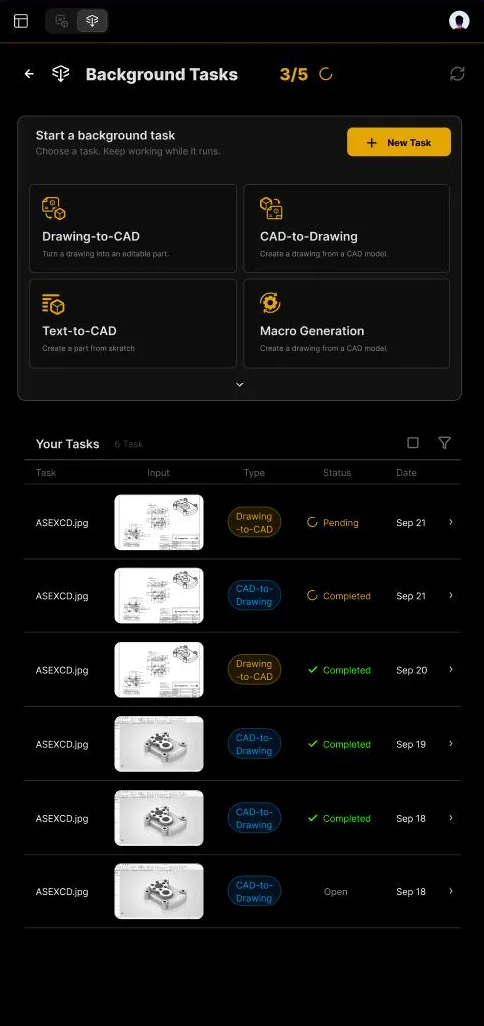
The AI way: MecAgent's CAD-to-Drawing runs as a Background Task on its servers while Inventor stays free: send your model, receive a dimensioned drawing as PDF (how it works with Inventor). Background Tasks start with the Starter plan.
Make an A3 ISO drawing of this turbine wheel, fully dimensioned.
For your own drawing conventions, macros take the repetitive part: the demo library films Inventor macros for balloons with a BOM, ordinate dimensions, bulk text replacement in drawings and a drawing validation stamp.
Check: treat any generated drawing as a strong first draft. Tolerances, GD&T and release stay with the engineer.
9. Turn PDF Drawings into 3D Models
Every company has parts that only exist as a PDF or a scan. Remodeling them by hand is a day you never get back.
The AI way: MecAgent's Drawing-to-CAD is a Background Task too: send a PDF or image drawing and get a 3D model back as STEP, which opens in Inventor like any other file. When you start the task, choose Other CAD Software (Output: STEP.) in Deliver for. Since version 2.16.0, when the agent reads a single page of a PDF drawing, it also looks at four zoomed quarters of that page, so the dimensions of detail views stay legible.
Autodesk is heading the same way: its 2027.2 post shows an outside agent building a 3D model from an attached AutoCAD drawing with a single prompt, through Inventor's local MCP server.
Check: a dimension that is illegible on the scan stays a guess. Verify the critical dimensions against the drawing before you build on the model.
10. Turn Any Task into a One-Click Automation
The real win is not doing a task once with AI. It is never doing it by hand again.
Inventor's way: iLogic external rules are stored as text or VB files outside any Inventor document. Useful, once someone has written them.
The AI way: Macro mode in MecAgent. Describe the task, or ask for the steps the agent just ran, and the agent writes the automation and saves it to your automations, which work in Inventor too. The AI does its thinking once, when the automation is created. After that, it runs as a standard script: fast, predictable, with no AI involved at run time.
Turn that export into a macro I can run in one click on any assembly.
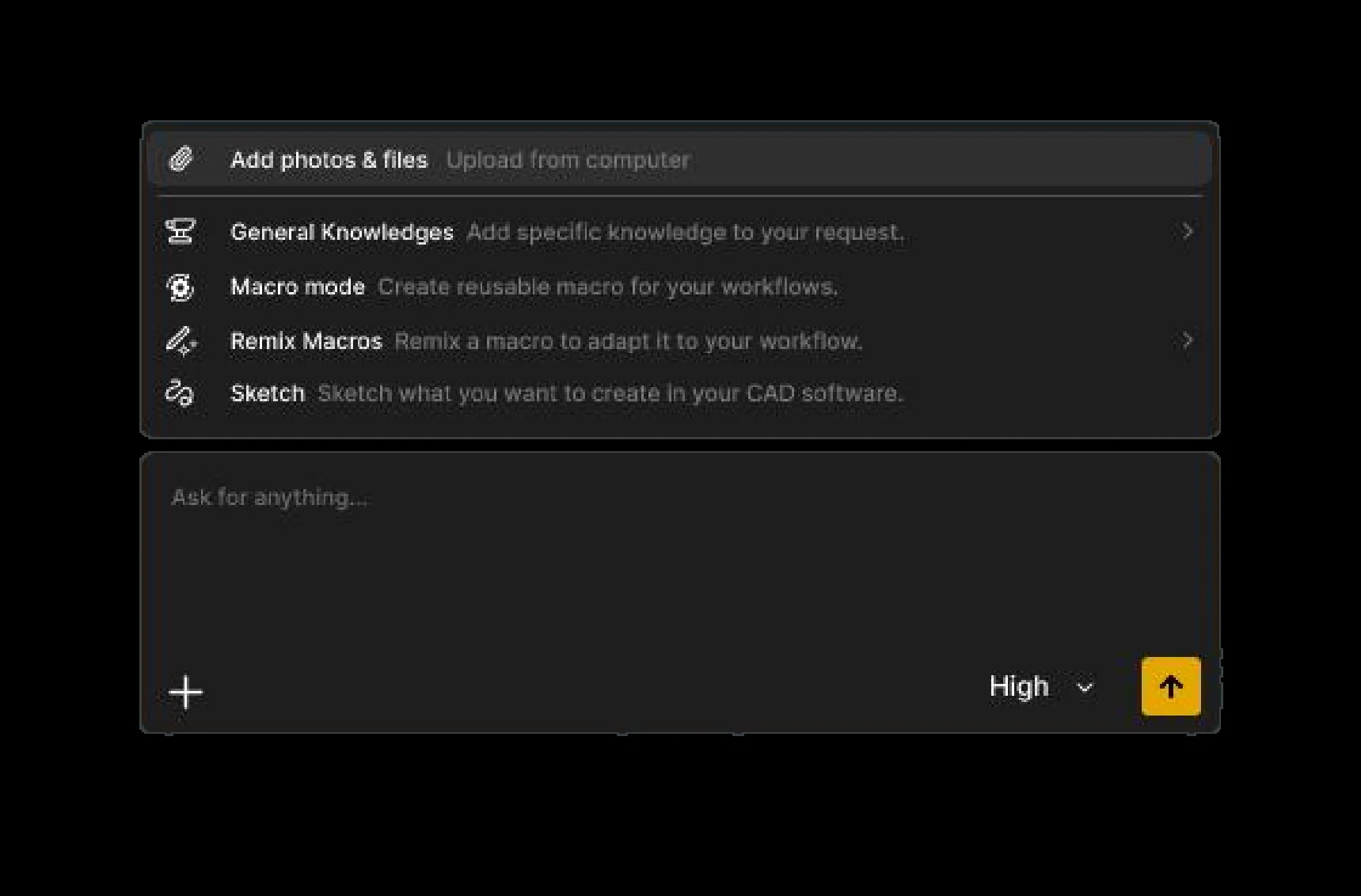
Share an automation by link, remix one from the public library, or merge several into one workflow. The Inventor macros in the demo library range from save-and-replace and high-contrast component coloring to assembly mass properties from a custom coordinate system.
Autodesk Assistant, the Inventor MCP Server and MecAgent: Who Does What
They are not either-or. Autodesk Assistant lives inside Inventor, the MCP server opens an Inventor 2027.2 session to outside agents, and MecAgent is an independent agent that can be used alongside Autodesk's assistant.
| Autodesk Assistant | Inventor MCP server | MecAgent | |
|---|---|---|---|
| What it is | Autodesk's AI assistant, built into Inventor | A local server that gives outside AI agents access to your open Inventor session | An independent AI CAD agent with a native Inventor add-in |
| Where you get it | Introduced in Inventor 2027 | Inventor 2027.2 | A Windows app for Inventor 2024, 2025 and 2026 (tested) |
| Strongest at | iLogic rules and event triggers, model states, parameters, design questions such as hole sizes across an assembly | Letting MCP-capable agents, such as Cursor, Claude Code or GitHub Copilot, use the same tools as Autodesk Assistant | Modeling, edits, materials and exports live; drawings and Drawing-to-CAD in the background; reusable automations |
| Good to know | Autodesk's 2027.1 notes label the Assistant's enhancements a tech preview; it also runs in other Autodesk products, including Autodesk Fusion (formerly Fusion 360) | The agent works in a session you already have open | Same installer and account as MecAgent for SOLIDWORKS; other CAD software gets STEP and PDF outputs from the web app |
Sources: Autodesk's 2027.2 AI enhancements, 2027.1 notes and AU 2026 announcement; MecAgent's Inventor page.
Why the Agent Should Drive Inventor's API, Not Your Mouse
How an AI acts in Inventor decides whether it works. In a June 2026 arXiv paper, researchers from Shanghai AI Laboratory and partner universities tested agents on Inventor, SOLIDWORKS and AutoCAD tasks (ComAct). The Inventor results are blunt:
| Agent on Inventor (100 tasks each) | Part modeling | Assembly |
|---|---|---|
| Clicking through the interface (GPT-5) | 0% | 0% |
| Writing COM scripts with a few examples (GPT-5) | 60% | 56% |
| Writing COM scripts with a few examples (Claude Sonnet 4.6) | 60% | 55% |
| The authors' own trained agent, ComActor | 89% | 88% |
A task counted as a success only when the geometry matched the reference, not when the script merely ran. Two lessons follow for anyone choosing an Inventor AI.
Act through the API. Inventor 2027.2's MCP server gives outside agents the same tools as Autodesk Assistant. MecAgent acts through dedicated CAD tools rather than mouse clicks.
Check the result. Autodesk Assistant gets iLogic errors back so it can repair its code. MecAgent reads the model, runs the features, checks the result and corrects itself, and since version 2.16.0 it gets an explanation of any step that fails inside Inventor and fixes it instead of retrying blind (release notes).
How to Get Started with AI in Inventor in 3 Steps
- Install it. Download MecAgent for Windows 10 or 11 and create an account. It is the same installer as for SOLIDWORKS. The Free plan is for non-commercial evaluation and includes data collection, so use a paid plan on company files.
- Connect it. Start Inventor 2024, 2025 or 2026. MecAgent detects it, you choose Inventor in the connection panel, and the status dot shows Inventor and the Agent as Connected. On a company network, ask IT to allow
proxy.mecagent.comon port 443. - Start small. Pick a low-risk task from this list, like a material update or an export on a copy. Approve each tool execution at first, or turn on Auto-accept once you trust the results; since version 2.16.0, it no longer asks before steps that only read the model, select parts or move the view. Save what works as an automation, and add your standards as General Knowledges.
Want to see it before you install anything? Every use case is filmed in the demo library.
What AI Still Won't Do in Inventor
- Release your work. Parts and drawings still need an engineer's review before release.
- Guarantee compliance. Certification and regulatory sign-off stay with you.
- Read your mind. Vague requests give vague parts. Dimensions, references and naming rules make the difference: see how to prompt.
- Apply rules it was never given. Company standards have to be provided, as General Knowledges or templates.
- Make the data decision for you. Check where each tool sends your files. On MecAgent's paid plans, CAD files are not collected automatically and customer content is not used for AI training; the Free plan includes data collection, as the security page explains.
Bottom Line
Autodesk Inventor AI has moved from answering to doing. On Inventor 2027, Autodesk Assistant is the natural place for iLogic, parameters and model states. For modeling, exports, drawings and reusable automations in the open session, MecAgent works natively in Inventor 2024, 2025 and 2026. Pick the three tasks on this list that cost your mechanical engineering team the most time, hand them off this week, and keep what works as automations.
FAQ
Does Autodesk Inventor have AI?
Yes. Inventor 2027 introduced Autodesk Assistant: Autodesk says it can analyze models, generate parameters, create model states and suppress components, and automate repetitive tasks without code. Inventor 2027.2 extends Autodesk Assistant to iLogic event triggers and adds a local MCP server for outside AI agents. Autodesk's 2027.1 notes label the Assistant's enhancements a tech preview.
Can AI write iLogic rules?
Yes. In Inventor 2027.1 and 2027.2, Autodesk Assistant can create, run and repair iLogic rules, including rules triggered when a file is saved, and it scans a rule for potentially risky APIs before running it. Inventor's Codeblocks offer a visual alternative that shows the equivalent iLogic code. Review and test any generated rule before it goes into a template.
What is the Inventor MCP server?
Inventor 2027.2 includes a local MCP (Model Context Protocol) server. With it, an MCP-capable AI agent (Autodesk names Cursor, Claude Code and GitHub Copilot) can inspect and edit the model in an Inventor session you already have open, using the same tools as Autodesk Assistant.
Is there an AI agent for Inventor 2024, 2025 and 2026?
Yes. MecAgent has a native add-in for Autodesk Inventor 2024, 2025 and 2026, tested by its technical team. MecAgent models parts, adds features, applies materials and exports files in the open session, runs CAD-to-Drawing and Drawing-to-CAD as Background Tasks with PDF and STEP outputs, and uses the same installer and account as MecAgent for SOLIDWORKS.
Is it safe to use AI on Inventor files?
Ask any vendor where your files go and whether they train on them. MecAgent does not collect CAD files automatically or train on customer content on its paid plans; the Free plan includes data collection, explained in a notice that must be accepted before using the app. An independent SOC 2 examination of MecAgent is complete, and the report is available under NDA. Details are on the security page.
Sources
- Autodesk: Autodesk Inventor 2027.2 what's new (November 3, 2026), AI Enhancements in 2027.2, What's New in 2027.1, Autodesk Inventor 2027 what's new, Meet Autodesk Assistant in Inventor 2027, Code Blocks in Autodesk Inventor
- Autodesk: Autodesk advances agentic AI in its three industry clouds (September 15, 2026)
- Autodesk Inventor Help: Rules and forms in iLogic, Parameters in models, Design Accelerator, Model states, Auto Balloon, Publish 3D PDFs with Task Scheduler
- Ai et al., ComAct: Reframing Professional Software Manipulation via COM-as-Action Paradigm, arXiv, June 2026
- MecAgent: AI for Autodesk Inventor, release notes, user guide, demo library, security and data